
Best Android Root Apps That Actually Work


Best Android Root Apps of 2025: A guide to Magisk, KingoRoot, and why a pre rooted Redrocksgeek phone is the safest, easiest choice.
Introduction
Have you ever felt like you’re only renting your Android phone, when you could actually own the whole building? Like there’s a secret world of power and customization just beyond your fingertips?
You’re not alone. Many of us look at our Android device and dream of a few key changes: finally removing the pre installed junk, significantly boosting the battery life, and tweaking the very core of the operating system. This dream has a name: rooting.
But let’s be honest. The world of rooting apps can feel like a confusing maze. A quick search for the best Android Root methods reveals a jungle of technical jargon and risky procedures.
You’ll find apps that promise the world, but could ultimately turn your phone into a bricked device. It’s enough to make anyone’s head spin.
That’s where we come in. This guide is your friendly map through that jungle. We’re going to walk you through the Best Android Root Apps that are proven to work, explaining them in plain English.
We’ll also explore the incredible things you can do once you have root access, and then we’ll show you a much simpler, safer path to all that power. So, take a deep breath. Unlocking your phone’s superpowers is easier than you think.
Related articles:
Unlocking Your Phone’s Inner Superuser
Before we dive into the specific rooting apps, let’s get one thing straight: what exactly is rooting? Imagine your android phone is a house. In its default state, you’re a tenant. You can decorate your rooms (install apps from the Google Play Store) and move furniture around (change wallpapers and system settings).
But there are locked doors everywhere. You can’t knock down a wall to create an open-plan living area, and you certainly can’t tell the landlord to remove the ugly old boiler you never use (we’re looking at you, carrier bloatware).
Rooting is the process of becoming the landlord. It gives you the master key to every locked door in your house. Technically, it means gaining administrative privileges, known as “root access,” over the android os. This lets you modify any system file, uninstall any app, and fundamentally change how your device behaves.
The Power and The Peril: Why You’d Want to Root Your Device
This newfound freedom is a superpower. Here’s what you can do with it:
- Remove Bloatware for Good: Finally delete those pre-installed apps from your carrier or manufacturer that you never use. They do nothing but hog your phone’s storage and RAM.
- Truly Maximize Battery Life: Install powerful apps that slow down your processor during light use. This simple trick can dramatically extend your battery life.
- System Wide Customization: Change everything from fonts and boot animations to entire themes. This level of control goes far beyond what standard launchers on the Google Play Store can offer.
- Boost Performance: Overclock your processor for a better gaming experience. Or, use root tools to fine-tune your device for smoother everyday performance.
- Full Control with Backup: Create complete, system-level backups of your entire phone. If anything ever goes wrong, you can restore it perfectly to a previous state.
But with great power comes great responsibility. Rooting isn’t without its risks. It can void your warranty; a simple mistake with the wrong root tools can ‘brick’ your device, turning it into an expensive paperweight. That’s why choosing the right method from the Best Android Root Apps is not just a suggestion; it’s essential.
The Contenders: A Deep Dive into Root Apps That Work
Now for the main event. Let’s explore the most reliable and popular rooting apps and methods available today. The “best” app often depends on your specific android device and your comfort level with technical steps. We’ve broken them down to help you find your perfect match.
Magisk: The King of Systemless Rooting
If you’re looking for the modern champion of the Best Android Root world, Magisk is it. Created by a developer known as topjohnwu, Magisk uses a brilliant method called “systemless rooting.”
This means it doesn’t actually modify your core system files. Instead, it layers its changes on top of the system at boot. This method makes it incredibly difficult for apps, and even Google, to detect the root.
Why is this a big deal? Many apps, including banking apps and games like Pokemon GO, refuse to run on rooted devices for security reasons.
Magisk is exceptionally good at hiding itself. This allows you to pass critical “SafetyNet” checks, so you can use all your apps normally even with full root access. This powerful Android app manages root access, allowing you to grant or deny permissions on a per app basis.
KingoRoot: The One Click App contender
KingoRoot is one of the most well known names when people search for a “click root app.” Its biggest selling point is simplicity. The goal is to make rooting as easy as installing any other android app and tapping a single button. You might be surprised how well this method works for many older or mid-range phones.
However, it’s important to approach with a bit of caution. The simplicity comes with trade offs. Security conscious users often distrust the version of KingoRoot from its website. Because the code is not open source, the public cannot review it for safety.
It may also install additional apps or not provide a clean unroot option. This tool works for some, but it may not be the most elegant or secure solution.
PC Assisted Root Tools: The Tried and True Method
For many, the most reliable way to root android devices is by using a computer. Tools like SuperSU (in its older, trusted versions) and the direct use of Fastboot commands fall into this category. This process often involves:
- Unlocking your bootloader (the first program that runs when you turn on your phone).
- Flashing a custom recovery onto your device.
- Then, use that recovery to install a zip file containing the root software, like Magisk.
This method gives you the most control and is often the only way to root newer, more locked-down phones. Developers and hardcore enthusiasts prefer this method. This method involves more steps than a simple click root app. However, the online community support is massive, with detailed guides available for almost every popular Android phone.
Comparing Your Options
To make things clearer, here’s a table breaking down these top contenders for the title of Best Android Root Apps and methods.
Table: A Guide to Popular Android Rooting Methods
| Root Method | How It Works | Best For | Key Consideration |
|---|---|---|---|
| Magisk | Systemless Rooting via a custom zip file | Users who need to hide root from apps like banking or Pokemon GO. The modern standard. | Requires a PC for initial setup on most devices. The most powerful and stealthy option. |
| KingoRoot | One Click Root App installed directly on the android device | Beginners with older devices who want the absolute simplest possible process. | Can be detected more easily; may not work on newer phones. Source code is not open. |
| PC Assisted (Fastboot) | Manual process using a computer and command line | Tech-savvy users, owners of newer Pixel phones, and those who want maximum control. | The most technical method. Offers the highest success rate for difficult to root devices. |
Beyond the Root: Essential Apps for Your Newly Empowered Phone
Congratulations! You’ve successfully used one of the Best Android Root Apps and gained root access. Now what? The real fun begins. Your newly rooted device is a blank canvas, and these essential root tools are your paintbrushes.
Here are some of the best apps to install after you root your device:
- Greenify: This is a game changer for battery life. It doesn’t just put apps to sleep. It forcibly hibernates them, which prevents the apps from waking up and draining your battery in the background. With root, it works even better, acting as a powerful warden for your system resources.
- Titanium Backup: The ultimate backup solution. While it has a clunky interface, its power is unmatched. With root, it can back up everything your apps, their data, your SMS messages, and your call logs. You can freeze or uninstall bloatware permanently and perform complete system restores.
- AdAway: Are you frustrated by the constant ads in your free apps and games? AAs an open source tool, AdAway modifies your device’s hosts file. This blocks ad requests at a system level, stopping them completely.
- System App Remover: Don’t let the name fool you; this app needs root to do its real job. It provides a simple, clean interface to view all the system apps on your device and safely remove bloatware that you don’t want. It’s much safer than manually deleting system files.
- Franco Kernel Manager / EX Kernel Manager: For the true enthusiasts, these apps let you tweak your device’s kernel. Think of the kernel as the essential bridge between your Android OS and hardware. You can overclock for speed or underclock for better battery life. Beyond that, you can fine-tune hundreds of other settings to perfect your device’s performance and battery balance.
The Simple Choice: Why a Pre Rooted Phone from Redrocksgeek is Your Best Bet
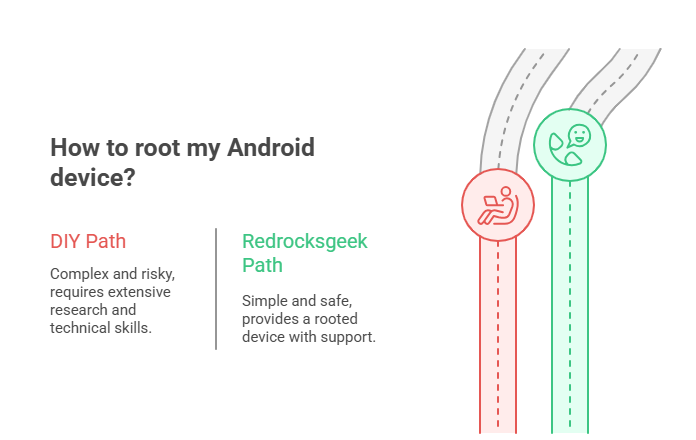
Let’s pause for a moment. Reading about all these rooting apps and root tools is exciting, but it also sounds like a lot of work, doesn’t it? First, you must find the exact guide for your specific Android model while worrying about permanently damaging your phone. Then, you’ll spend hours actually setting everything up.
And what happens when an android os update rolls out? You often have to repeat the entire process all over again.
There is a simpler, safer, and far less stressful path to all the power and customization we’ve discussed.
Imagine having a powerful android device that arrives at your doorstep ready to go. Our experts have already rooted these phones using the most reliable methods. We’ve handled all the risky, technical work so you don’t have to. A phone where the Best Android Root Apps are pre installed and configured, waiting for you to explore their potential without the fear of making a costly mistake.
This is the experience Redrocksgeek provides. We offer a curated selection of both rooted and non-rooted devices. However, our specialty is providing phones that come pre rooted and optimized for power users like you. When you choose a pre rooted phone from us, you get:
- Zero Risk of Bricking: Our experts have already navigated the complex rooting process for you. Your device is ready to use the moment you unbox it.
- Immediate Access to Power: With root access ready from the start, you can immediately begin using powerful tools like Titanium Backup and AdAway.
- Ongoing Support: Rooting can be confusing. We provide support for the devices we sell, so you’re not alone if you have questions.
- Tested and Stable: Every phone is tested to ensure the root is stable and secure, giving you a reliable daily driver.
- Save Time and Sanity: Skip the days of research, the anxiety of the rooting process, and the frustration of failed attempts.
Why spend your weekend wrestling with complicated guides when you can have a device that’s already unlocked its full potential? The ultimate life hack for enjoying a rooted Android isn’t finding the perfect click root app it’s letting someone else handle the hard part.
FAQ
Q1: What are the best Android root apps for beginners?
For a true beginner, a pre rooted phone is the best and safest option. If you choose the DIY path, you might look for a ‘one click’ app like KingoRoot. However, we must caution you this method typically works only on older phones and involves much higher risk. The most reliable method for most phones, Magisk, requires a PC and doesn’t suit beginners.
Q2: Will rooting my android phone void its warranty?
In almost all cases, yes. Most manufacturers and carriers consider rooting a violation of your device’s terms of service. A temporary unroot feature in some tools may help with warranty claims, though there’s no guarantee it will work.
Q3: Can I still use the Google Play Store and banking apps on a rooted device?
This is a common concern. With older rooting methods, often not. But with modern systemless rooting tools like Magisk, yes, you often can. Magisk has features specifically designed to hide root from these apps, allowing you to pass security checks.
Q4: What’s the difference between a “rooted” and “non rooted” device?
A non rooted device is like a standard rental car you can drive it, but you can’t modify the engine. A rooted device is like owning your own car and having the master key to the mechanic’s shop. You gain full administrative control to change any part of the operating system you want.
Q5: Is it possible to “unroot” my android device?
Yes, in most cases it is. The process varies depending on the method you used to root. Some rooting apps have an “unroot” button, while for methods like Magisk, you flash a special uninstaller zip file. Returning to a completely stock, unrooted state often involves flashing the original factory firmware for your device.
Conclusion: Rooting is Power, But Smart Rooting is Wisdom
We’ve journeyed through the world of the best Android root apps. We explored everything from Magisk’s stealthy systemless rooting to the simple promise of a one click root app. Root access truly transforms your Android device. It lets you remove bloatware, supercharge your battery life, and tweak every system file.
The potential is incredible. But as we’ve seen, unlocking that potential on your own can be a technical, time-consuming, and risky endeavor. The true secret to enjoying a rooted Android isn’t just about finding the right app it’s about choosing the right path.
You can spend your valuable time and energy following complex guides, crossing your fingers that you don’t make a mistake. Or, you can choose the path of smart, effortless power.
At Redrocksgeek, we believe you should spend your time using your phone’s amazing new features, not just trying to unlock them. Our pre rooted devices are the culmination of that belief. They serve as your direct, safe, and simple gateway to the ultimate Android experience.